

SiriusXM: The Complete Guide to Satellite Radio
Is it worth the subscription? We break down the plans, pros, cons, and everything you need to know.
🎯 What is SiriusXM?
SiriusXM is America's premier satellite radio service that brings you hundreds of channels of music, sports, news, talk shows, and entertainment directly to your car, home, or mobile device. Whether you're on a cross-country road trip or streaming at home, SiriusXM offers commercial-free music, live sports, exclusive talk shows, and much more.
Key Features: 425+ channels • Howard Stern • Live sports • Exclusive content • No commercials on music channels
📊 SiriusXM Plans Compared
1 SiriusXM All Access - $21.99/month
Best for: Ultimate listeners who want everything SiriusXM has to offer
- 425+ channels total (160+ in-car)
- Howard Stern channels
- NFL, MLB, NBA, NHL & college sports
- All music channels commercial-free
- Full streaming access on all devices
- Personalized stations & on-demand
2 SiriusXM Select - $16.99/month
Best for: Most listeners who want great variety at a better price
- 400+ channels between app and car
- Commercial-free music channels
- News, talk, entertainment
- Streaming included
- Most popular channels included
- (No Howard Stern)
3 Sirius Mostly Music - $10.99/month
Best for: Music lovers who want commercial-free tunes
- Selection of ad-free music channels
- Some talk radio included
- Streaming-only option available
- Most affordable plan
- Great for app-only listeners
✅ The Pros
❌ The Cons
⭐ Is SiriusXM Worth It For You?
👍 YES, if you...
- Drive long distances or commute regularly
- Want commercial-free music across many genres
- Are a sports fan who wants live games and analysis
- Love Howard Stern or exclusive talk content
- Travel to areas with poor radio reception
- Want curated, DJ-hosted music channels
👎 MAYBE NOT, if you...
- Only listen to music and want the cheapest option
- Are happy with Spotify/Apple Music for streaming
- Rarely drive or mostly listen at home
- Don't care about sports or exclusive content
- Live in an area with great local radio
- Primarily listen to podcasts (other apps are better)
🚗 How to Get SiriusXM in Your Car
Check Compatibility
Most newer vehicles come SiriusXM-ready. Check your car's manual or look for the SiriusXM logo on your radio.
Activate Service
Turn on your car radio, tune to channel 0 or 1, and follow the prompts to get your radio ID and activate.
Enjoy & Stream
Download the SiriusXM app to stream on your phone, tablet, or computer with your subscription.

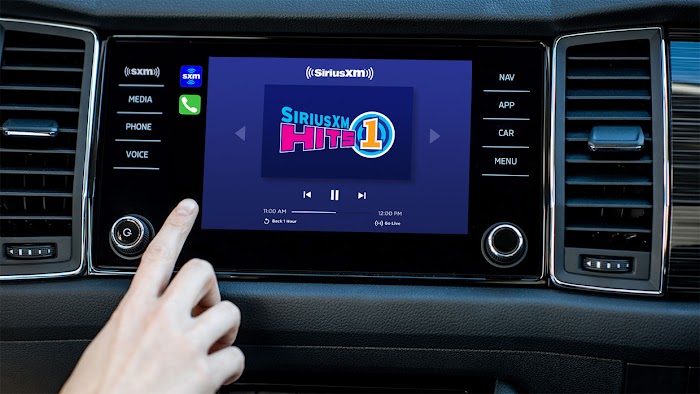
Setting up SiriusXM in your vehicle is straightforward with most modern cars
✅ How to Subscribe
- Visit siriusxm.com or call 1-888-539-7474
- Choose your preferred plan (consider starting with the trial)
- Create your account with email and password
- Enter payment information (after trial if you continue)
- Activate in your car or start streaming immediately
🔄 How to Cancel
Contrary to popular belief, canceling SiriusXM is straightforward:
- Log into your account at siriusxm.com
- Navigate to "Manage Your Account"
- Select "Change Billing Info" or "Cancel Service"
- Follow the prompts to cancel
- Keep confirmation email for your records
Tip: They may offer you retention deals if you try to cancel!

🎯 The Bottom Line
SiriusXM isn't for everyone, but for the right listener, it's absolutely worth it.
Best Value: If you're a frequent driver who loves variety, sports, and exclusive content, SiriusXM provides incredible value that traditional radio and streaming services can't match.
Try Before You Buy: With the 3-month free trial (no credit card required), you have nothing to lose by testing it out.
Note: Pricing and plans are subject to change by SiriusXM. The free trial offer may have specific terms and conditions. Always check the official SiriusXM website for the most current information. Pandora integration availability varies by region.
0 Comments: